Video previews GUIDE
Reddit lets you turn off video previews in your feed. Videos remain available when you choose to open them.
Stop video previews
- Tap your avatar to open your profile, then the ☰ menu.
- Open Settings.
- Under Accessibility, choose Media & animations.
- Set Autoplay Video Previews to Never. You can also switch off Autoplay Animated Images for GIFs.
What this does
This stops automatic feed previews. It does not remove video posts or prevent you opening the video player.
Turn off Autoplay media
- Click your avatar → Settings.
- Open the Preferences tab.
- Turn off Autoplay media.
What this does
This covers automatic video and GIF playback in the website’s feed.
SEE WHAT TO LOOK FOR
Screenshots
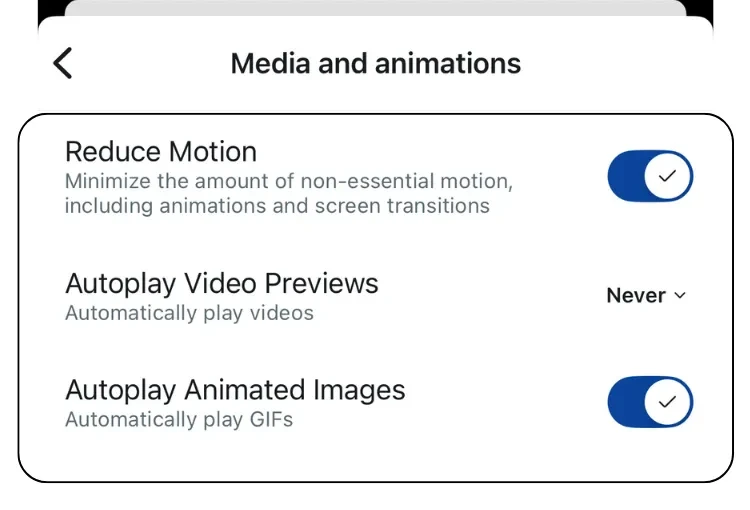
App screenshot published by Reddit Support. Cropped from its mobile/desktop comparison; other toggles are independent settings. Image source ↗
Sources
Help pages checked 18 November 2026. These are documented instructions; not every mobile app was tested on a device.