Reels GUIDE
Facebook does not offer a documented switch that removes every Reel. Start by stopping videos from playing automatically.
Turn off autoplay
- Open Facebook and tap Menu.
- Go to Settings & privacy → Settings.
- Under Preferences, open Media.
- Find Autoplay and choose Never autoplay videos. If your version offers an Auto scroll switch, turn that off too.
What this does
Reels remain in Facebook. The autoplay preference controls automatic playback, and may not govern every full-screen Reels surface. Opening a video can still start it.
SEE WHAT TO LOOK FOR
Screenshots
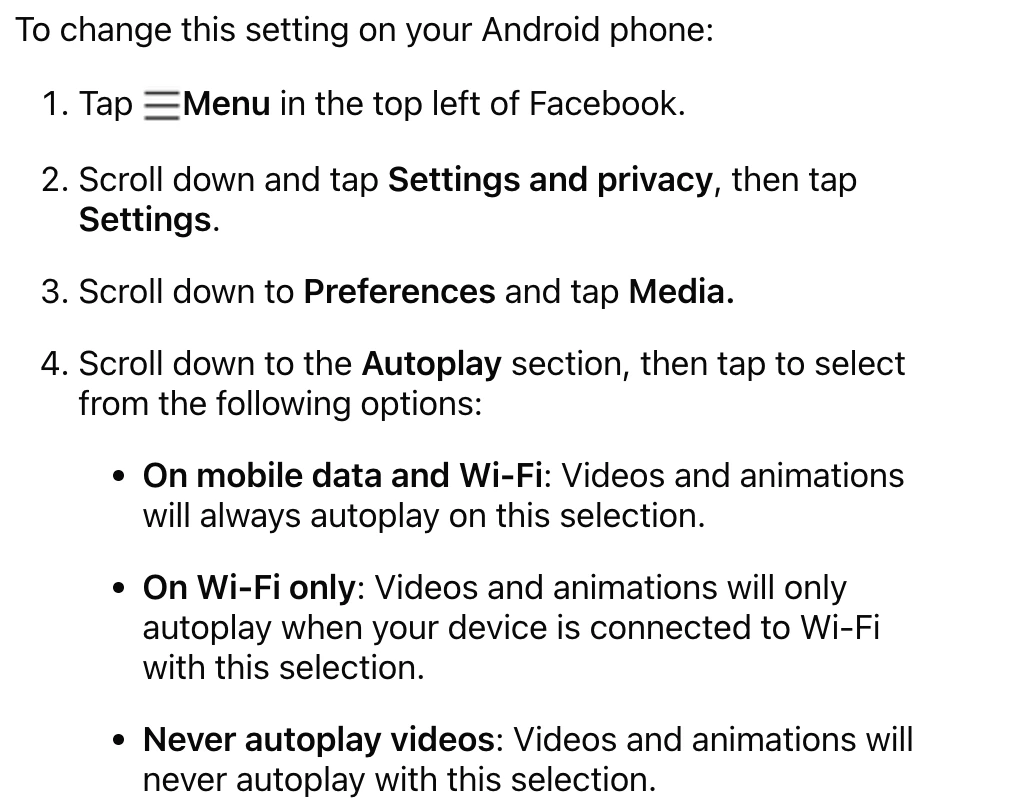
Screenshot of Facebook’s official Help Centre, captured 18 November 2026. This shows help instructions, not an in-app screen. Image source ↗
Sources
Help pages checked 18 November 2026. These are documented instructions; not every mobile app was tested on a device.